For teachers and their studios.
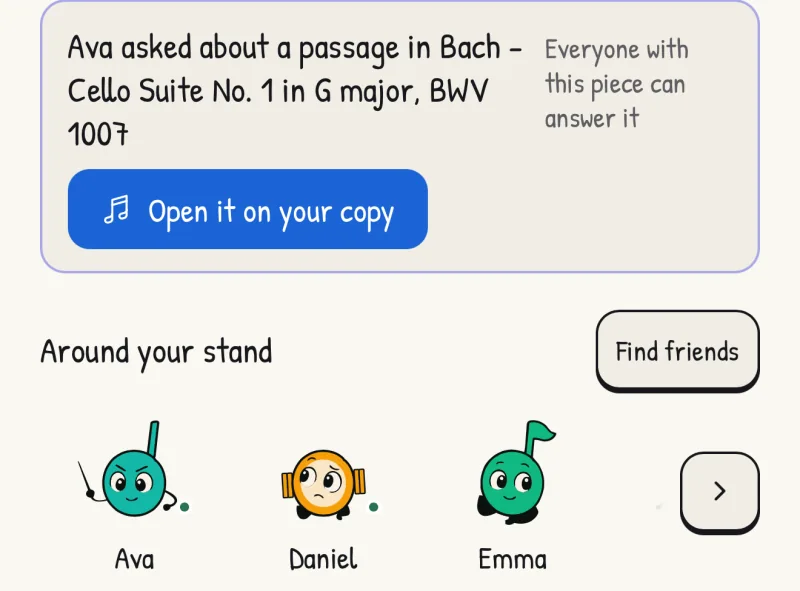
Your students practice alone most of the week. iMeetStand gives them a way to ask about the passage they are stuck on, right on the music, and gives you a way to answer it before the next lesson.
Free for all your Apple devices, from the App Store.
Who can join.
Each student needs their own account, on an Apple device. Accounts are for people 13 and older, so younger students cannot join, and there is no Android version.
One chat for the whole studio.
Add your students as friends, then make a group, give it the studio's name and invite them. The group is where the studio talks between lessons, and each student still has a direct chat with you.
Send the studio a PDF in the group, if it is yours to share. When the studio is working on a public-domain piece, everyone can import it from IMSLP inside the app, so you can all read from the same edition.
Answer the passage, by hand.
A student draws a box around the passage that is giving them trouble and asks about it in your chat or the studio's group. Only that passage is sent, never the page and never the file, and you do not need the piece yourself to answer.
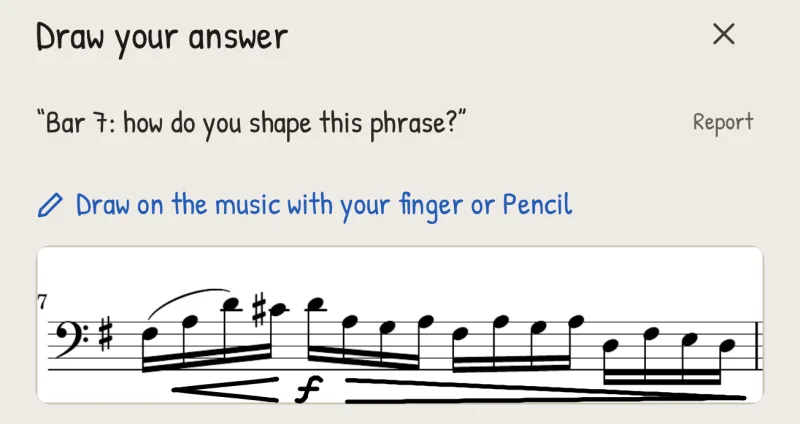
You write the answer on the passage itself: a fingering, a bowing, a few words. When it is easier to show than to write, record a short video answer instead. The student puts your writing on their own page, where they boxed it, so it is there the next time they open the score.
Practice without a judge.
iMeetStand never tells anyone that they played something badly. There is no grade, no accuracy reading and no ranking, so a student can ask about the passage that worries them without being scored on it.
The practice clock belongs to the student. It keeps its record on their device, and it is not shown to you or to anyone else. Friends can see that a score is open, never how it is going.
The small print, in full.
The privacy notice opens with a summary written for teachers and parents. iMeetStand is for people 13 and older, as the terms set out, and the community guidelines say what is not allowed and how to report it.
A student can delete their account from the profile menu at any time. The support page says how.
Put it on the stand.
Any Apple device, a piece you are working on, and somebody who knows the passage.
Free for all your Apple devices, from the App Store.
See everything the app does, or read the answers to common questions.